Transforming Event Management with a New Rule Editor
Overview
This project involved designing a new Rule Editor to replace the old Scripted Event Plugin, which had become clunky and outdated. The goal was to build a visual, drag-and-drop interface that made it easier for non-technical users to create, manage, and automate events in simulated driver training scenarios, without needing to write a single line of code.
The Problem
Users needed a better way to:
- Define and manage event-driven rules
- Automate actions triggered by simulation events
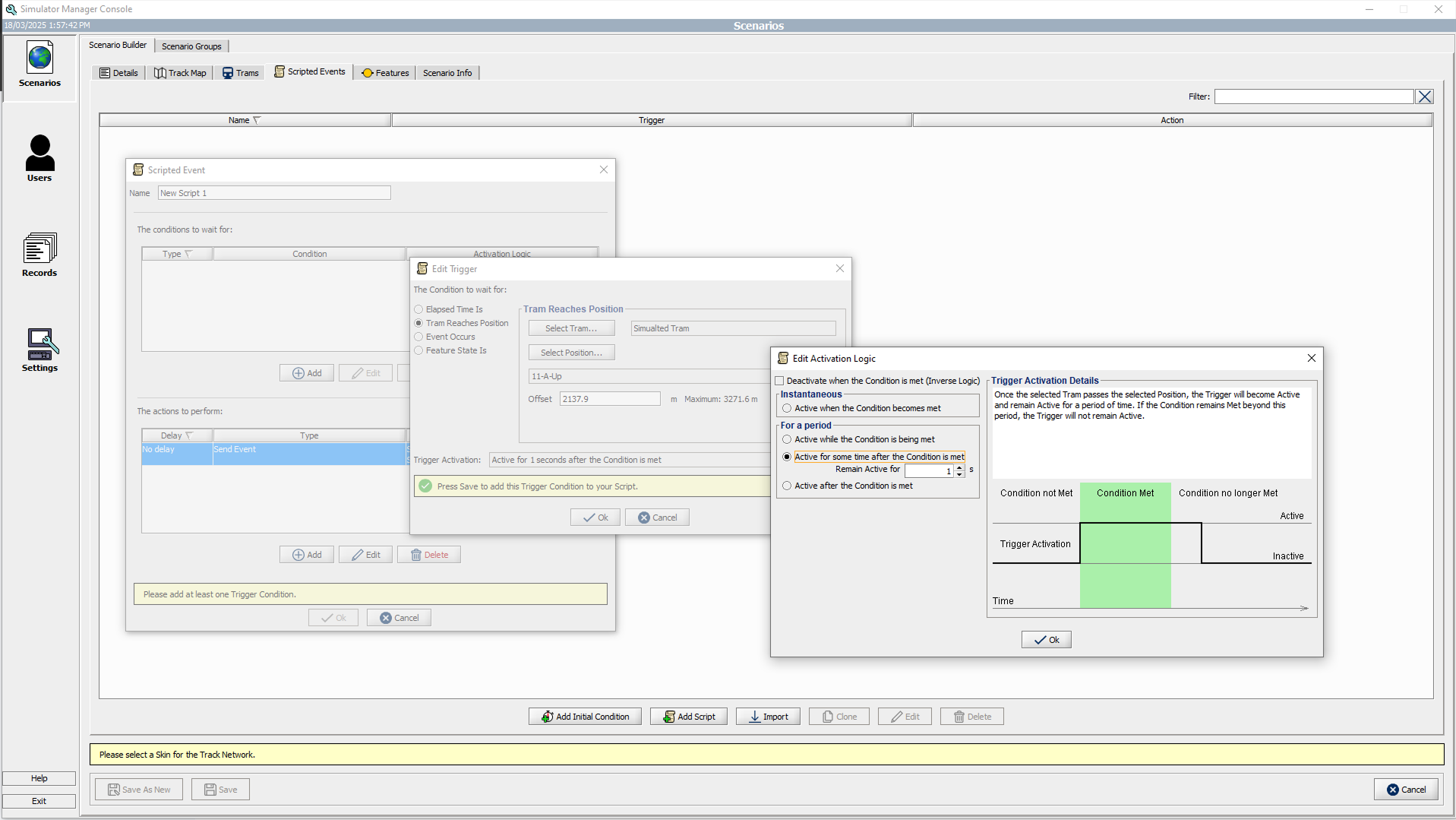
The existing plugin had serious usability issues. It was built with a dated Windows 95-style UI, filled with multiple dialog boxes and windows that were hard to navigate. Users found it frustrating and inefficient, especially when working under time pressure.
Research & Insights
To better understand the pain points, I gathered feedback from regular users of the old system. A few key themes came up:
- The interface felt cluttered and confusing
- Managing rules across multiple windows slowed users down
- There was a strong interest in a visual approach, something block-based that would make the logic easier to understand at a glance
These insights confirmed that the redesign needed to focus on simplicity, clarity, and reducing cognitive load.
Design Solutions
My team developed a Rule Editor with the following design principles:
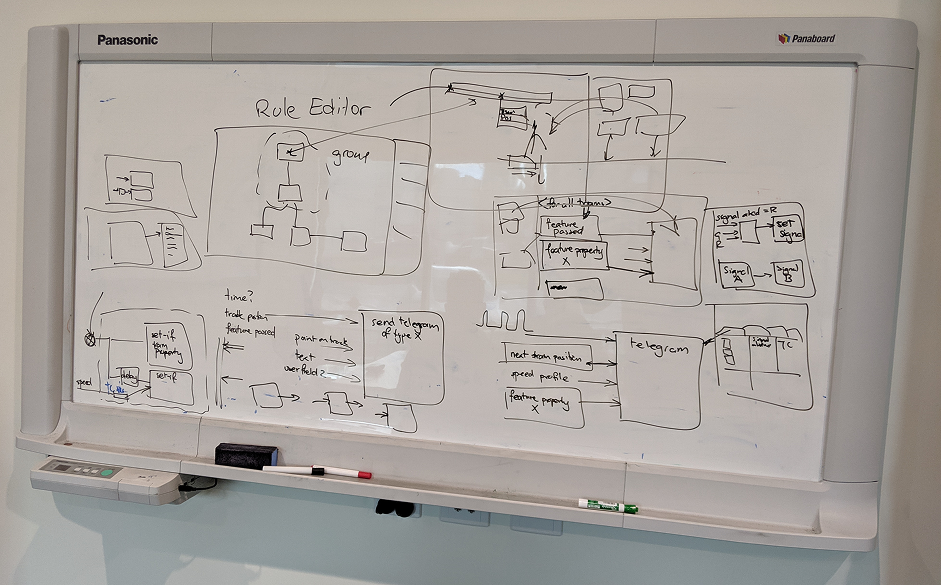
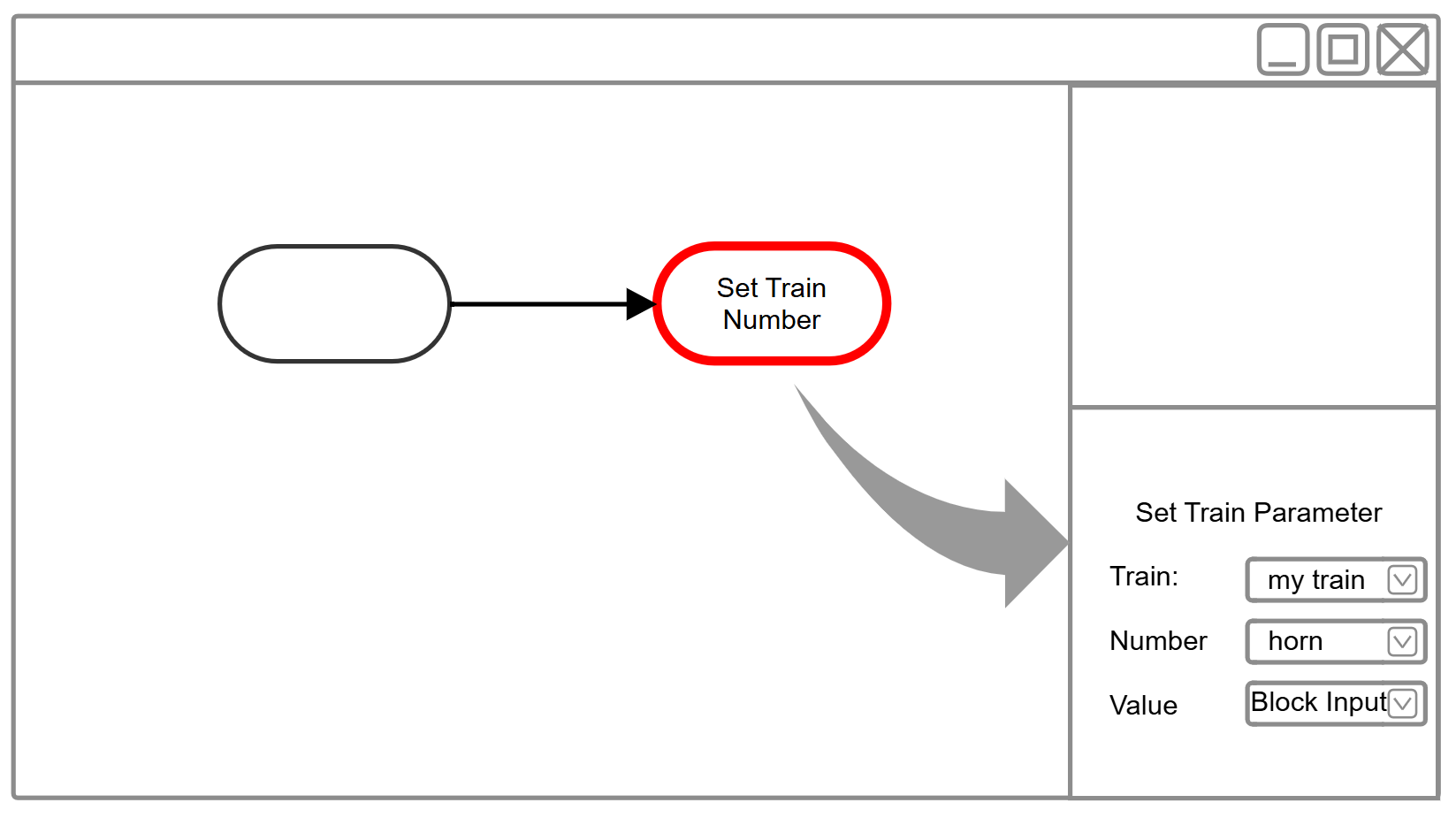
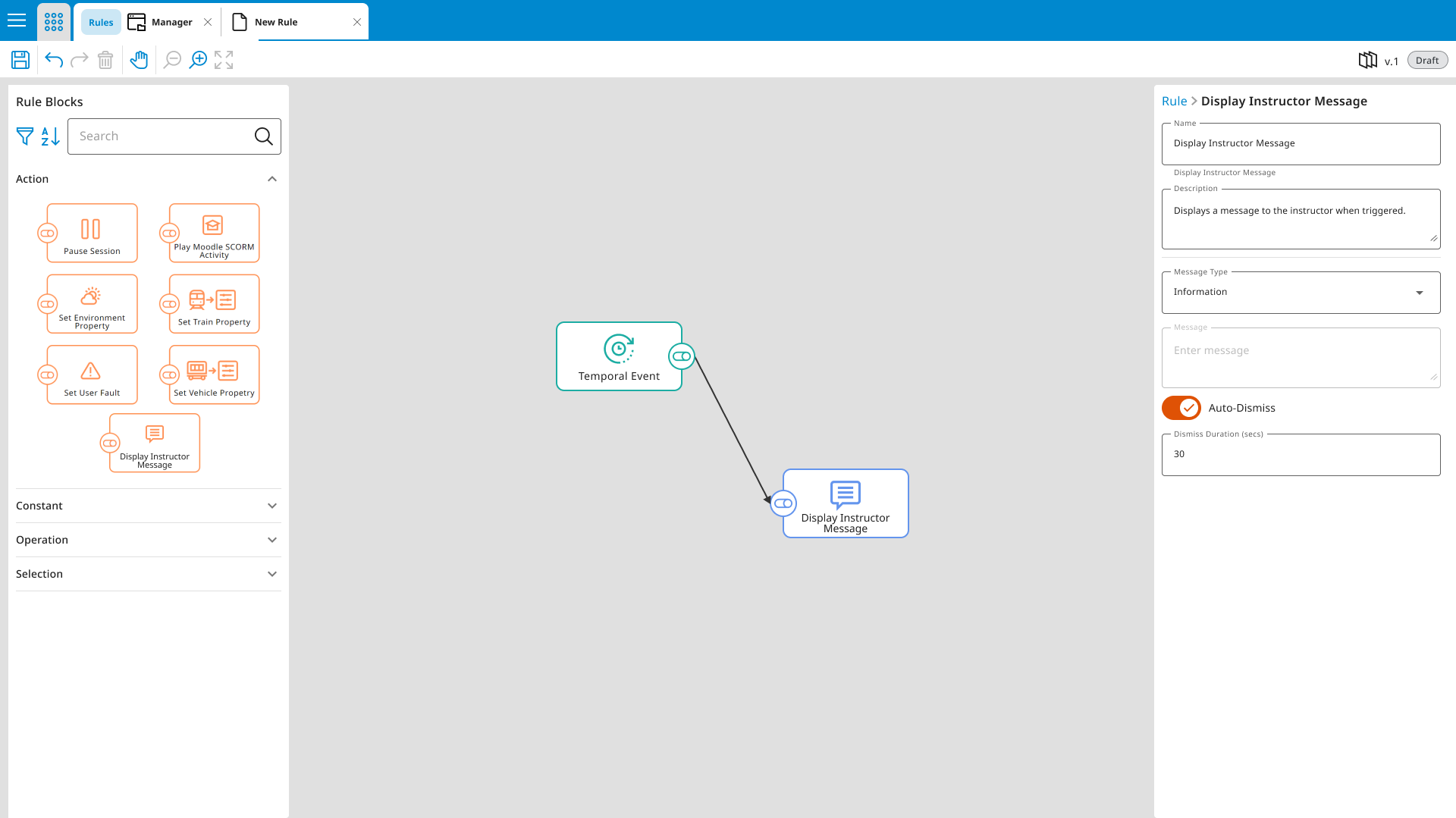
Rule Editor – Visual Event Builder
Layout Breakdown:
- Toolbar: For managing rules (create, save, delete)
- Block Library: A collection of drag-and-drop event/action blocks
- Editing Area: Where users build and organise rules
- Details Panel: For setting parameters of each block
Why it worked:
- Logical grouping: Blocks were organised by type, making them easier to find
- Real-time editing: Changes to blocks reflected immediately in the simulator
- Clear visual hierarchy: Users could see the entire logic flow at a glance
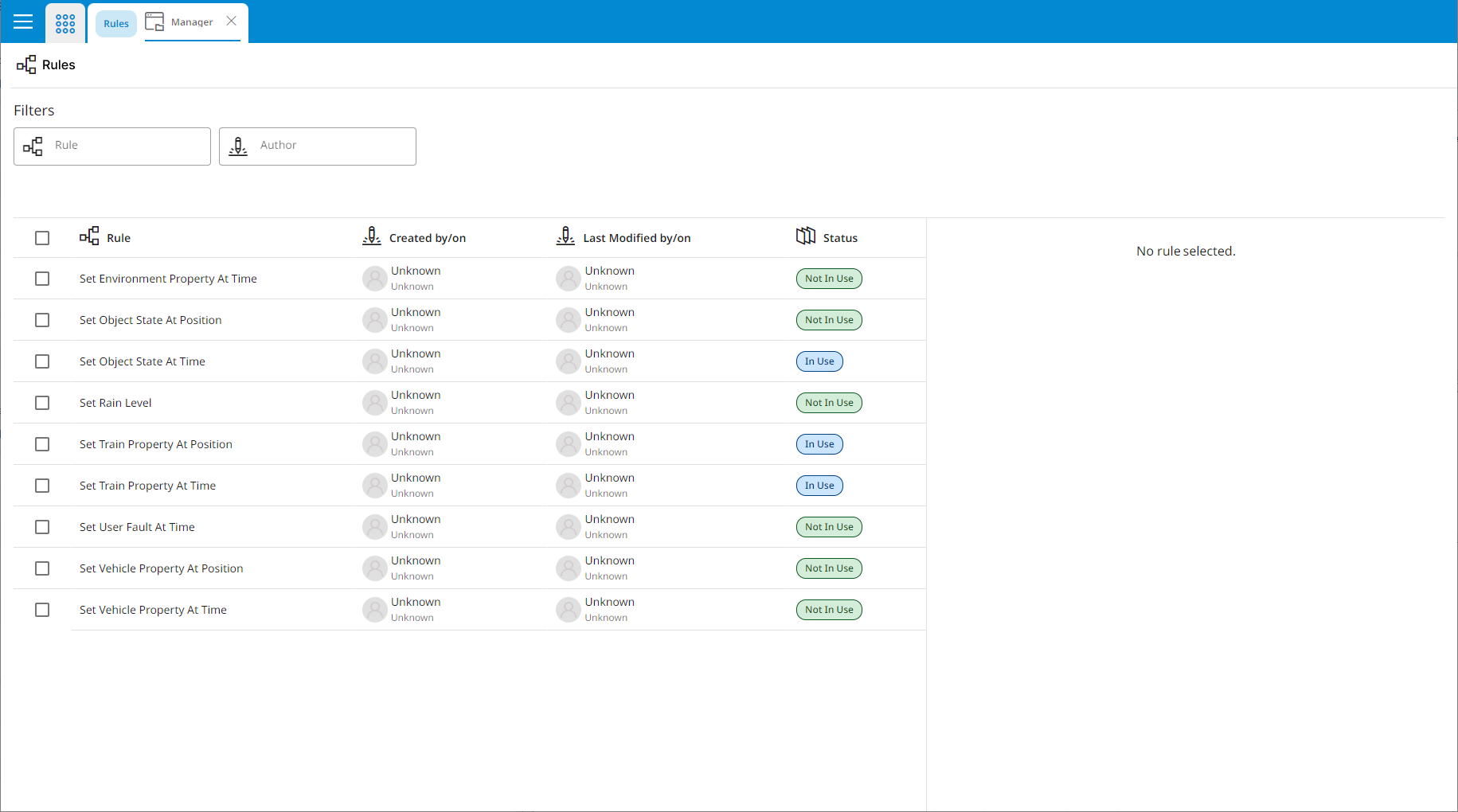
Rule Management – Streamlined Workflow
Layout Breakdown:
- Rules Manager: Interface for creating, duplicating, and deleting full rule sets
Design Choices:
- Simple rule creation: Removed extra steps and simplified workflows
- Live updates: Changes made to rules showed up immediately in the simulation, making testing much faster
Results & Takeaways
- Significantly reduced the time needed to create and test rule sets
- Empowered non-technical users to build event logic without developer support
- Built with a modular structure, allowing for new rule types to be added easily in future updates