Composite Object Editor for Driver Training Simulator
Overview
This project was about creating a powerful but user-friendly tool for building composite objects, like trackside signals and signs within a simulated environment for driver training. The goal was to give users a smoother way to configure complex elements by combining 2D and 3D editing in a single, cohesive experience.
The Problem
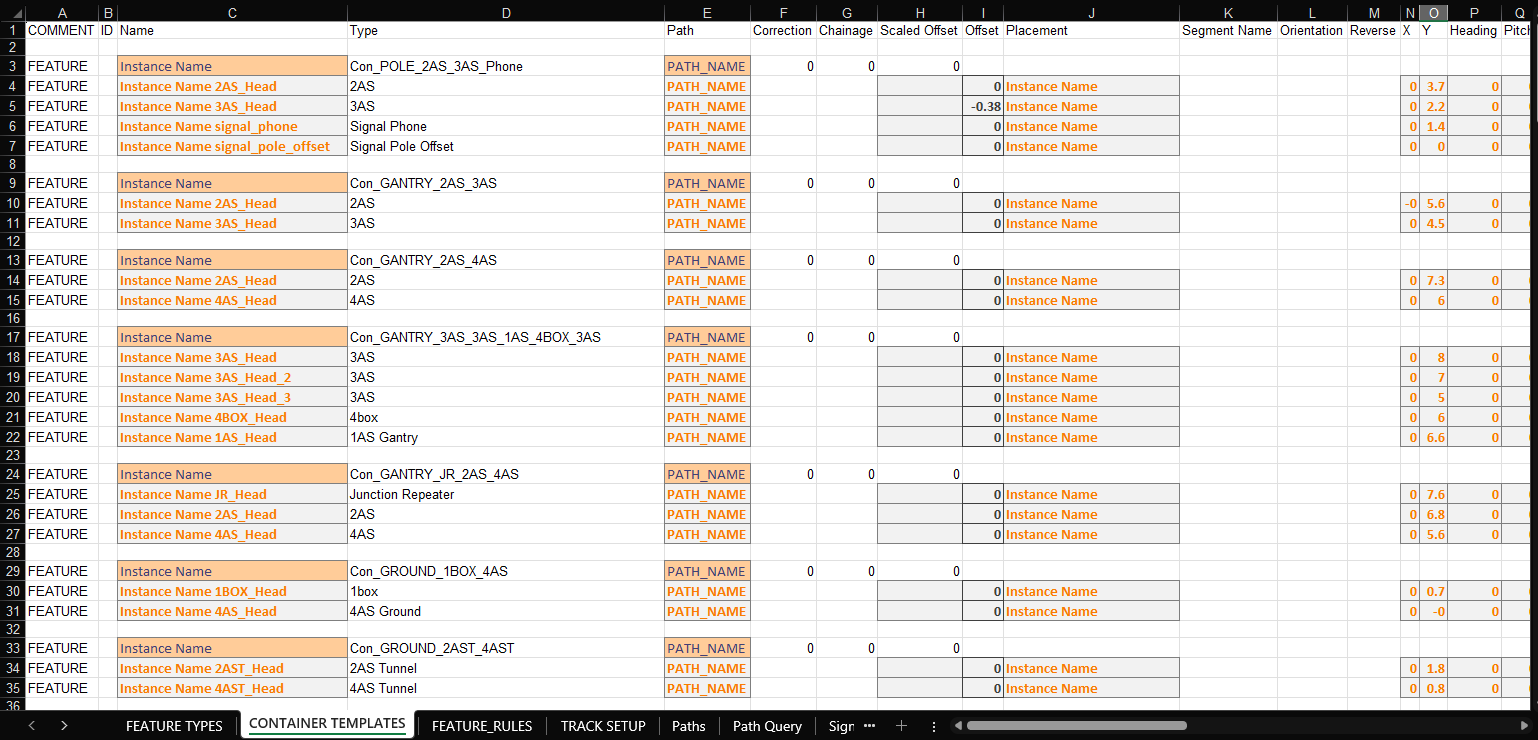
Previously, users had to manage composite objects using a massive spreadsheet, sometimes spanning dozens of tabs with hundreds of parameters. It was not only inefficient but also overwhelming and error-prone.
Key challenges included:
- Fragmented workflows for configuring object attributes
- Poor coordination between the 2D layout view and the 3D simulation
- A cluttered, unintuitive interface that slowed down even simple tasks
Users needed a better way to manage this complexity without sacrificing control or accuracy.
Research & Insights
Through interviews and feedback sessions with users, a few key needs emerged:
- A cleaner, more structured interface for defining object properties
- Hassle free switching between 2D editing and 3D visualisation
- A design that reduced cognitive load, making it more approachable for new users
These insights guided how I approached the design from both a workflow and UI perspective.
Design Solutions
Streamlined 2D and 3D Integration
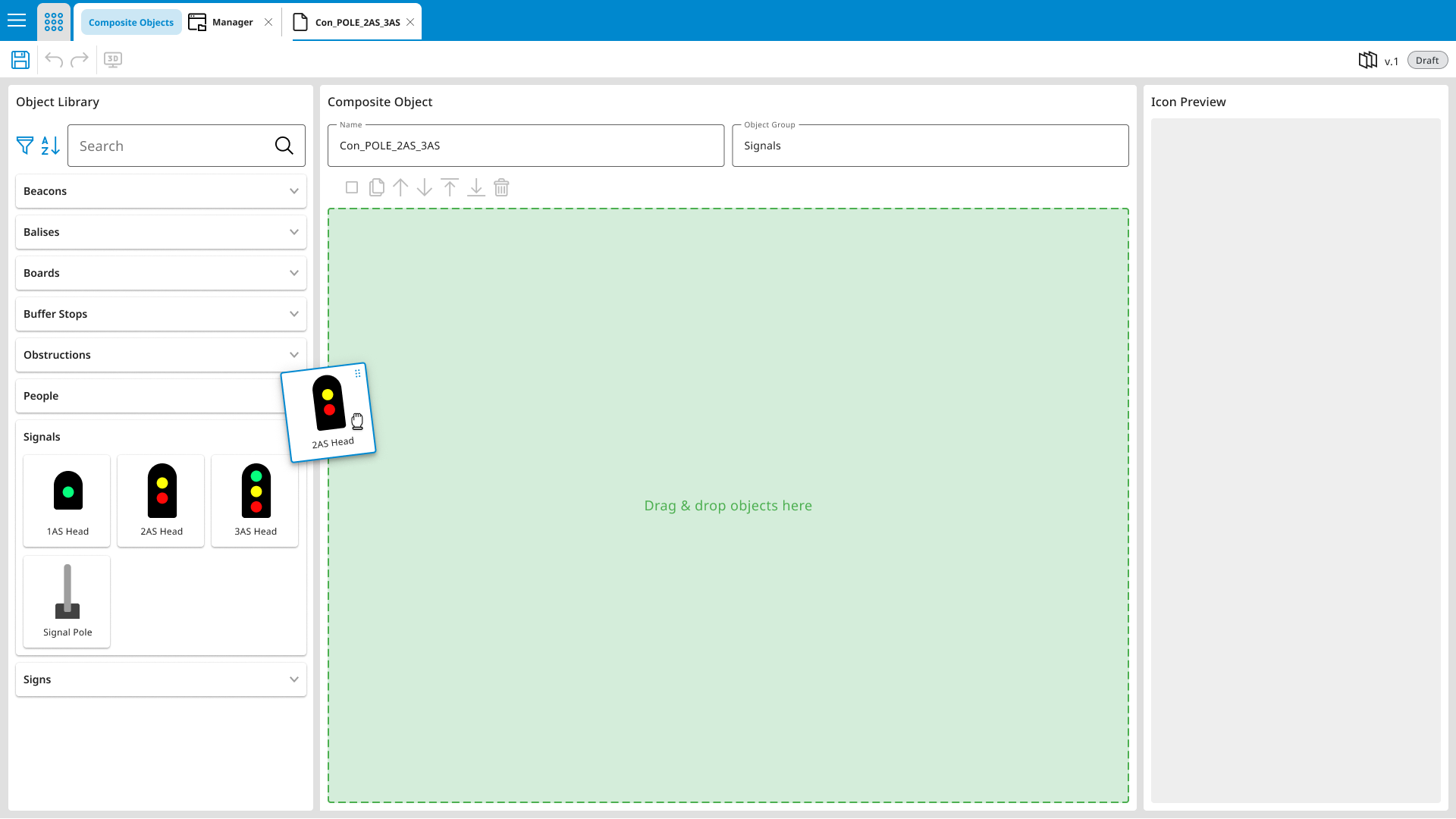
Layout Breakdown - 2D Editor:
- Object Library: Drag-and-drop collection of available components
- Editing Canvas: The primary workspace for placing and organising objects
- Details Panel: Contextual settings for each selected object
Layout Breakdown - 3D Visualiser:
3D viewer for inspecting placement in full context with zoom, pan and rotate
- 3D Preview Area: Real-time viewer with zoom, pan, and rotate functionality to inspect object placement and spatial relationships

Design Choices:
- Made the 2D editor the central control hub, with 3D visualisation acting as a live feedback loop
- Ensured changes in 2D were instantly reflected in the 3D view, helping users catch issues earlier and iterate faster
- Supported accurate object placement within complex track networks
Simplified User Interface
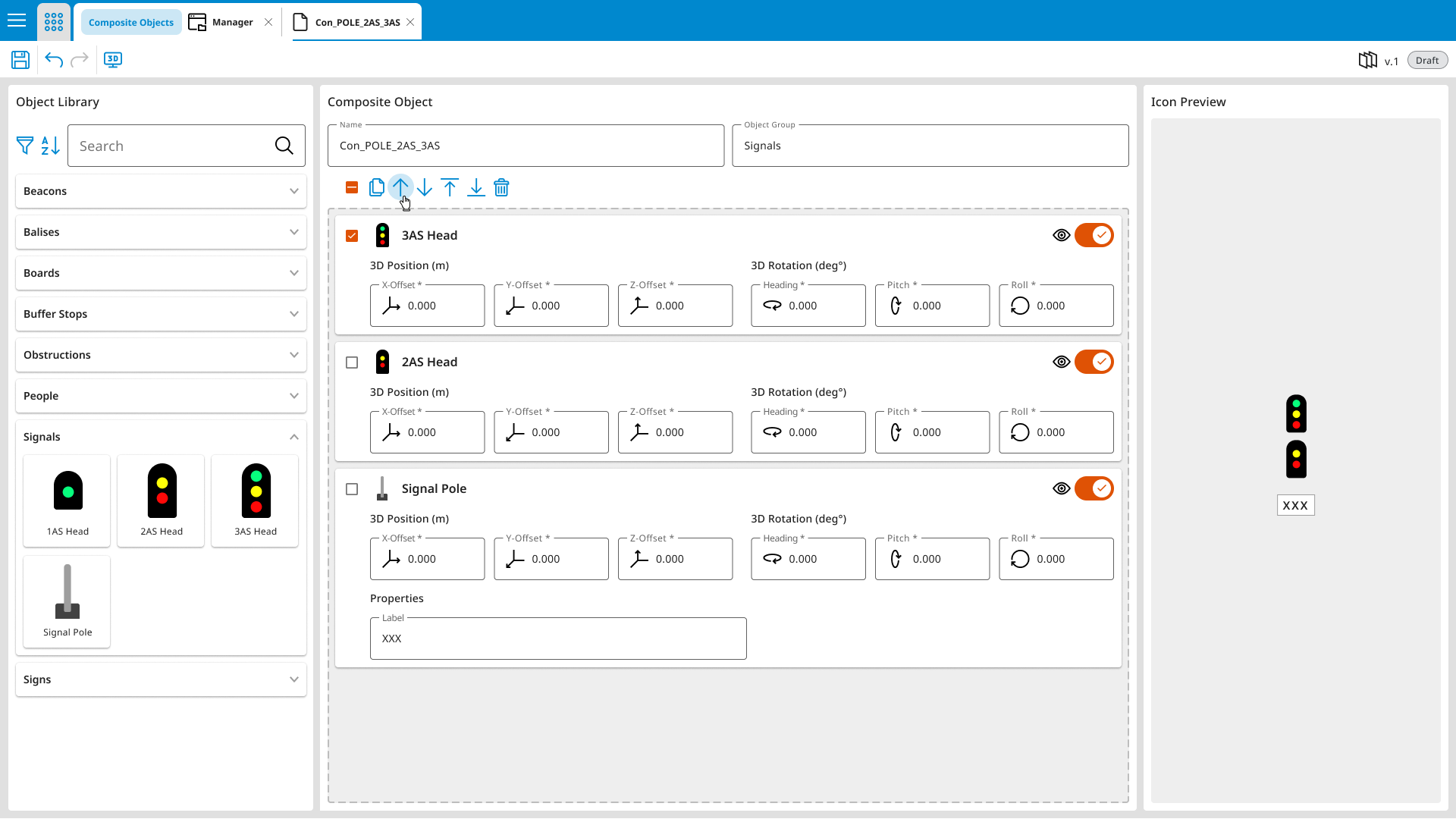
Layout Breakdown:
- Minimalist UI: Focused layout with collapsible panels and grouped tools
- Clean Hierarchy: Key functions surfaced while reducing interface noise
Design Highlights:
- Reduced visual clutter, allowing users to focus on building and editing
- Created a more inviting, less intimidating experience, especially for new or occasional users
- Enabled quick navigation and reduced time spent searching for key functions
Results & Takeaways
- Boosted productivity by consolidating fragmented workflows into a single, efficient interface
- Significantly reduced configuration time, especially for complex composite objects
- Persistent saving and recovery supported longer-term projects and iterative design cycles